
Hospital Management System
A cloud-based platform that brings patient care, clinical teams, billing and daily operations into one place. Available as a subscription for hospitals, clinics, diagnostic centres and healthcare providers worldwide.
Let's Talk- Cloud-Based Access
- Role-Based Workspaces
- Appointments & Billing
- Smart Dashboards
Patient Registration
Register & Manage Patients

System Settings
Manage users, roles & hospital configuration
Billing & Insurance
Generate bills & process insurance claims

Reports & Analytics
View insights & generate reports
Pharmacy
Dispense medicines & manage stock

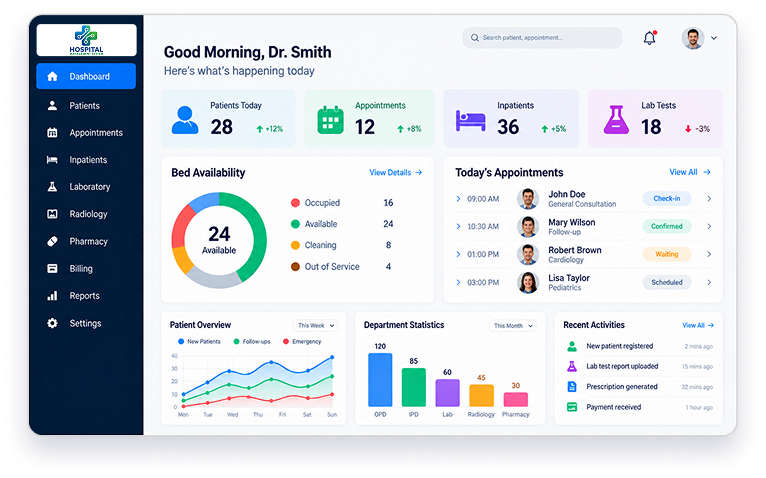

Appointments
Book & Manage Doctor Appointments
Doctor Consultation
View patient history & prescribe


Bed Management
Check bed availability & manage admissions
Staff Management
Manage doctors, nurses and staff


Radiology
Schedule scans & view reports
Laboratory
Orders tests & view results

What is Hospital Management System?
A hospital management system (HMS) is software that brings a healthcare facility's clinical, administrative and financial work into one platform. It manages patient records, appointments, admissions, billing, pharmacy, laboratory and inventory, so staff spend less time on paperwork and more time on patient care. iSyncEvolution's HMS is a cloud-based platform offered on a subscription basis, so there is nothing to install on your own servers.
The platform suits single clinics, large hospitals and groups with several branches, in any country. Each hospital runs its own staff, doctors and records, while group owners manage all their branches from one Admin account. It supports nine languages and seven currencies.

One Hospital Management System.
A Dedicated Workspace for Every Role
Each team member signs in to a workspace built around their job. They see the modules they need and nothing else, so work moves faster, and records stay protected.
Manage Every Branch from One Place
Built for owners and groups running more than one hospital or clinic.
Modules used
- Dashboard
- Admin
- Hospital Type
- Hospital
- Billings
- Enquiry
- Landing
- CMS
- Email Templates
- Settings
- Payrolls
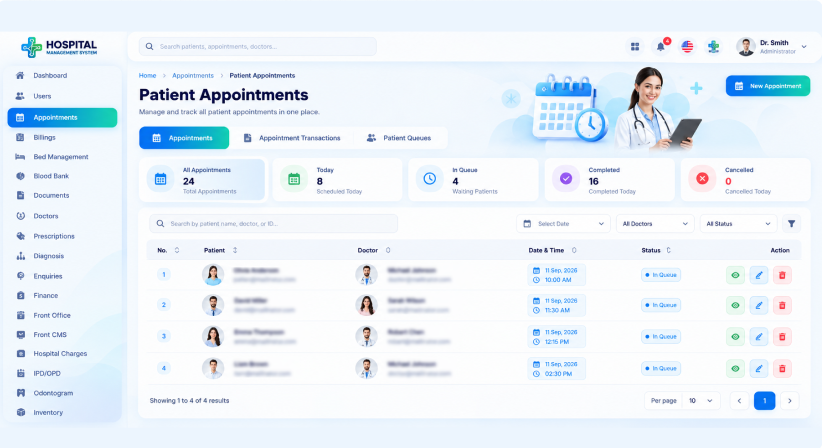
Group Dashboard
See your total hospitals, total revenue and active and expired hospital plans on one screen. An income overview chart shows how the group is performing by period.
- Total hospitals count
- Total revenue figure
- Active and expired hospital plans
- Income overview by period
Hospitals & Hospital Types
Add and manage every hospital in your group, and organise them by hospital type. One login gives you a clear view of all your branches.
- Add and manage hospitals
- Organise by hospital type
- All branches in one list
- One login for every branch
Staff & Admin Accounts
Manage the admin accounts and staff for all your hospitals from one module. You no longer need a separate setup for each branch.
- Manage admin accounts
- Manage staff across branches
- Assign roles to users
- Review payrolls
Billings, Enquiries & Content
Follow billings, handle enquiries and edit landing page content through Landing CMS. Email templates and payrolls are in the same menu.
- Track billings
- Handle enquiries
- Edit landing page content
- Ready-made email templates
Run Your Whole Hospital Day to Day
The hospital admin sets up departments, staff, charges and services for one branch.
Modules used
- Dashboard
- Users
- Doctors
- Bed Management
- Hospital Charges
- Services
- Inventory
- Front CMS
- Settings
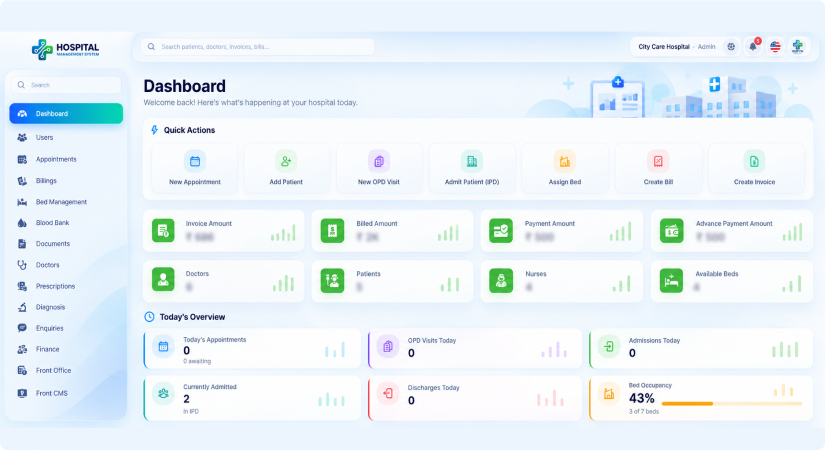
Live Dashboard
See invoice, billed, payment and advance payment amounts next to your doctor, patient, nurse and available bed counts for this hospital. Notice board posts appear right on the home screen.
- Invoice and billed amounts
- Payment and advance payment amounts
- Doctor, patient and nurse counts
- Available beds and notice board
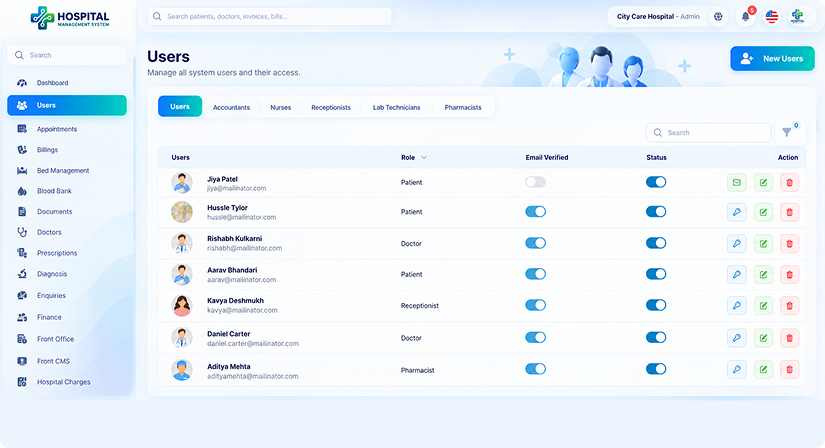
Users & Module Control
Add staff accounts, assign each person a role and switch modules on or off for your hospital. Every user sees only what their job requires.
- Add staff accounts
- Assign a role to each user
- Switch modules on or off
- Role-based access for everyone
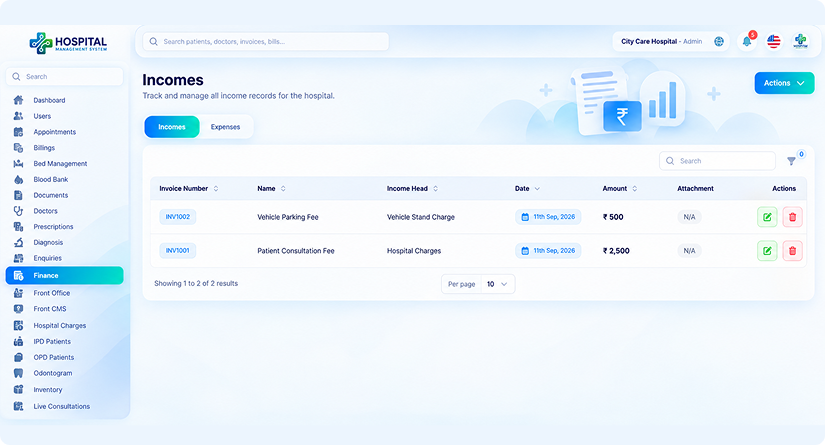
Operations & Finance Oversight
Oversee appointments, IPD/OPD, Odontogram, beds, blood bank, pharmacy, laboratory, inventory & vaccinations from one menu. Billing, income, expenses, hospital charges, payroll and transactions sit in the same place.
- Appointments and IPD/OPD
- Beds, blood bank and inventory
- Pharmacy, laboratory and vaccinations
- Billing, expenses and payroll
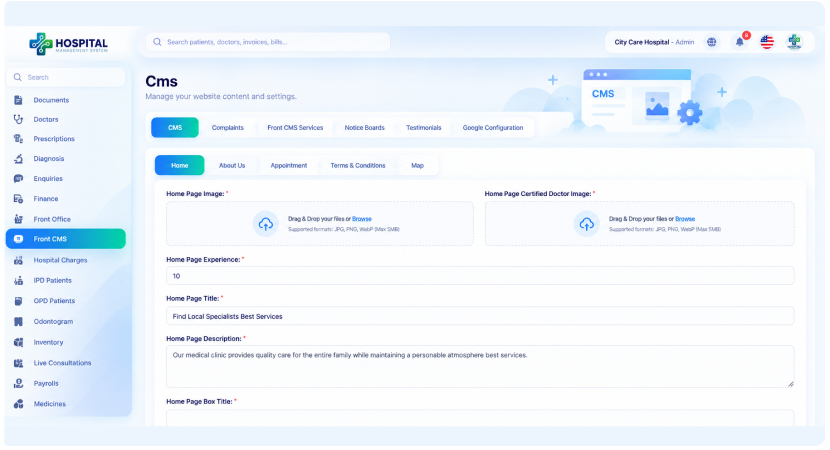
Website & Communication
Edit your hospital's landing page content through Front CMS and handle enquiries from visitors. Send SMS and email, with email templates ready for repeat messages.
- Edit landing page through Front CMS
- Handle visitor enquiries
- Send SMS and email
- Reusable email templates
Everything a Doctor Needs for Each Visit
Doctors see their own appointments, patient history and prescriptions in one view.
Modules used
- Appointments
- Patients
- Prescriptions
- Diagnosis
- Doctor Schedules
- Live Consultations
- Odontogram
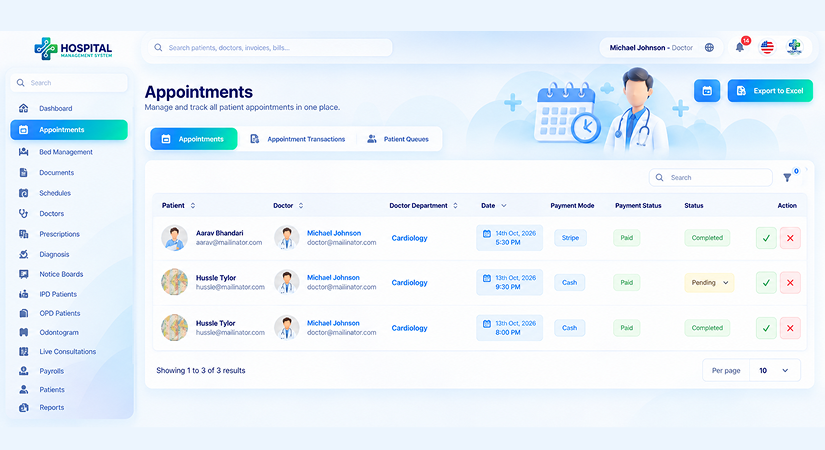
Appointments & Patient Queues
View appointments as a list or a calendar, follow appointment transactions and see the patient queue. Export the appointment list to Excel when you need a report.
- List and calendar views
- Appointment transactions
- Live patient queue
- Excel export
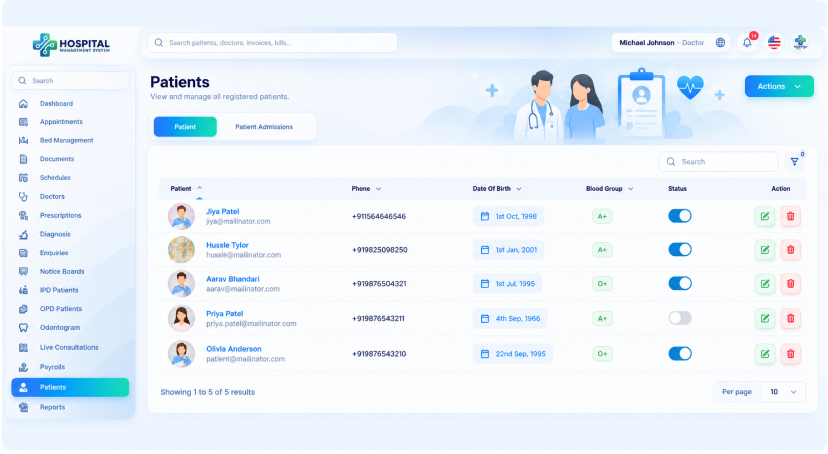
Schedules & Patient Records
Set your own booking schedule so patients only book open slots. IPD and OPD records, patient documents and the full patient list are one click away.
- Set your booking schedule
- IPD and OPD records
- Patient documents
- Full patient list
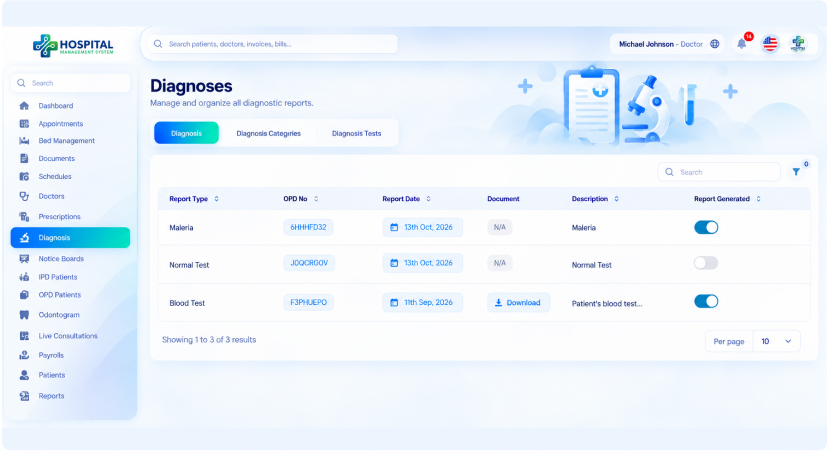
Diagnosis, Prescriptions & Odontogram
Record a diagnosis, write a prescription and chart dental work on the odontogram during the visit. Every report stays linked to the patient record.
- Record diagnoses
- Write prescriptions
- Odontogram dental charting
- Reports linked to the patient
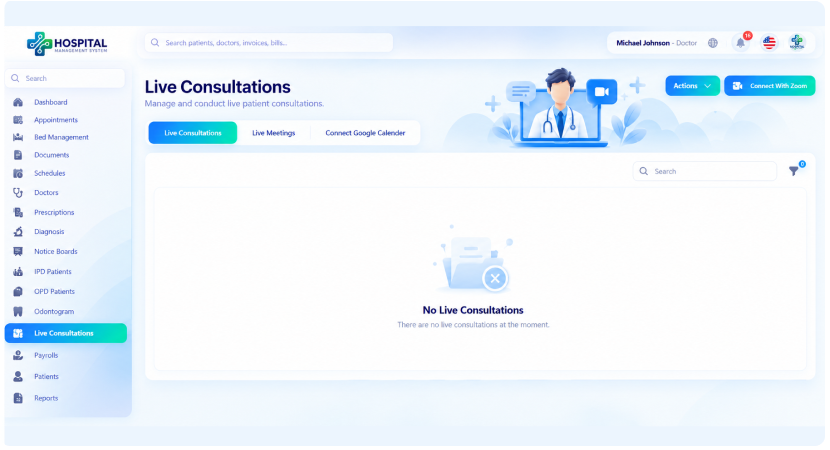
Live Consultations & Wards
Consult patients over Zoom video and hold live meetings with your team. Check bed status on the wards and see your own payroll details.
- Zoom video consultations
- Live meetings with the team
- Bed management view
- Your own payroll details
A Self-Service Portal for Patients
Patients book visits, view bills and download reports without calling the front desk.
Modules used
- Appointments
- Bills
- Prescriptions
- Documents
- Vaccinations
- Live Consultations
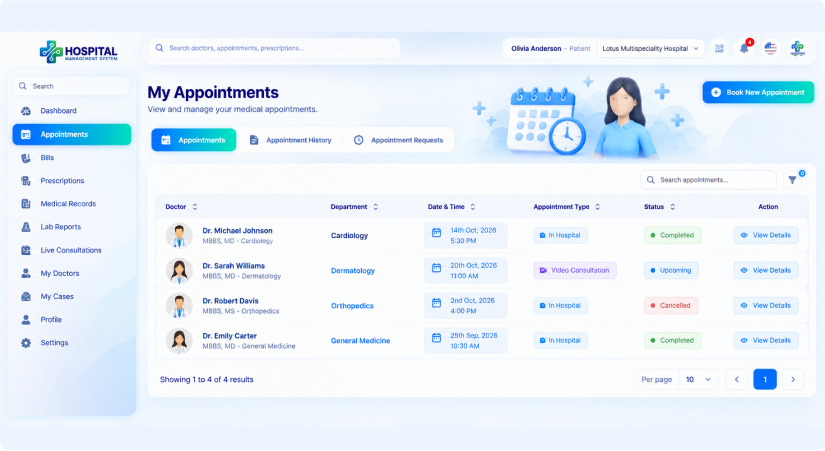
Online Appointment Booking
Choose a department, pick a doctor and select a date to see that day's open and booked slots. Booking takes a few clicks and needs no phone call.
- Choose a department
- Pick a doctor
- Select a date
- See open and booked slots
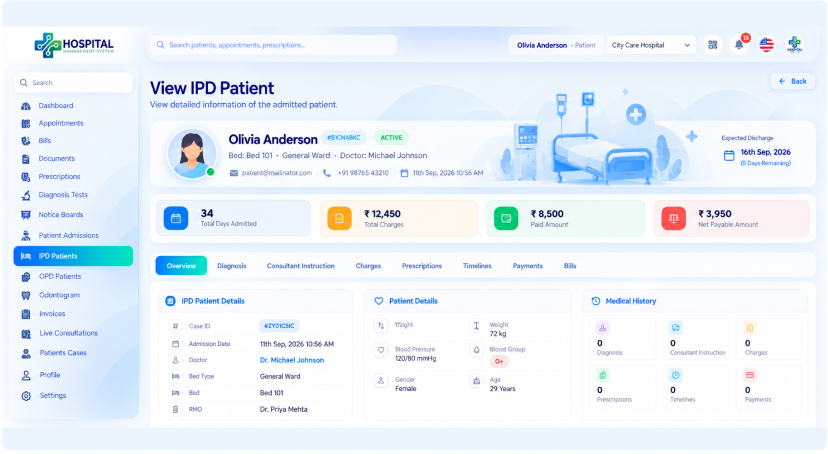
Personal Medical History
Review prescribed medicines, operation history and admission and discharge records in one place. Patients see only their own information.
- Prescribed medicines
- Operation history
- Admission and discharge records
- Your own information only
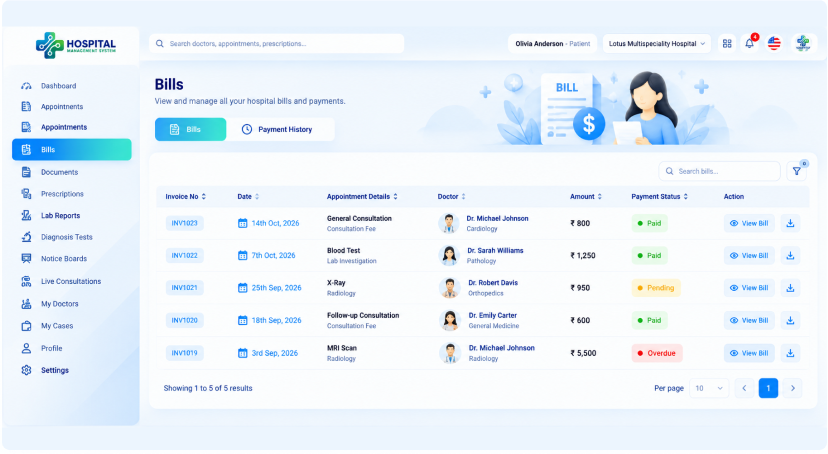
Bills & Hospital Notices
Check invoices and bills at any time and see what has been paid and what is due. Announcements from the hospital appear on the notice board.
- View invoices
- View bills
- See paid and due amounts
- Read hospital notices
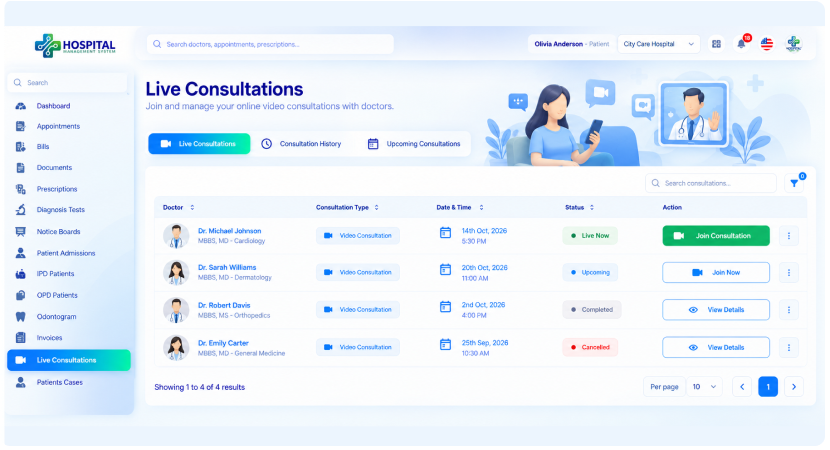
Remote Consultations
See upcoming video consultations scheduled by the doctor and join them from the list. No separate meeting links are needed.
- See upcoming consultations
- Join from your list
- Scheduled by your doctor
- No separate links needed
Ward Care Without the Paperwork
Nurses track admitted patients, bed assignments and ward activity in real time.
Modules used
- Patient Admissions
- Bed Status
- Bed Assigns
- IPD/OPD
- Notice Boards
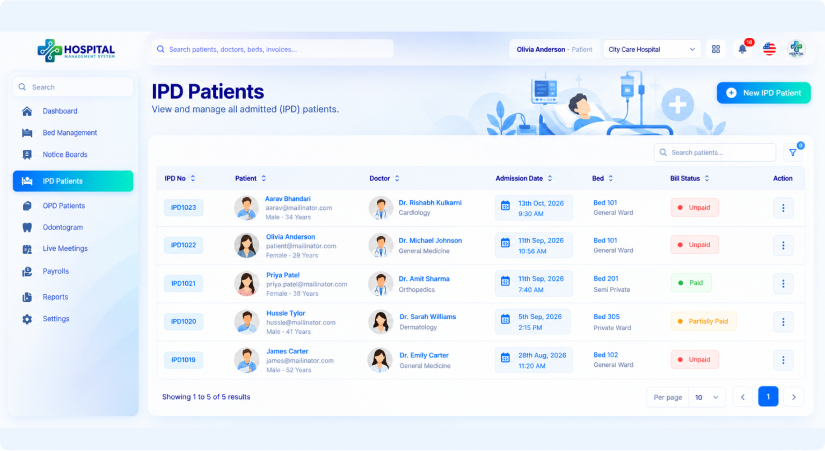
IPD & OPD Care Records
Work with inpatient and outpatient records so patient status and treatment details stay current. Doctors and other staff see updates straight away.
- Inpatient records
- Outpatient records
- Current patient status
- Updates visible to the team
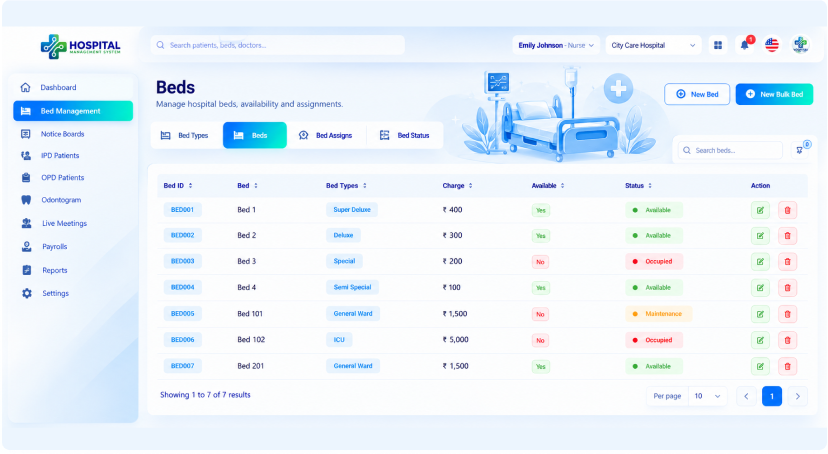
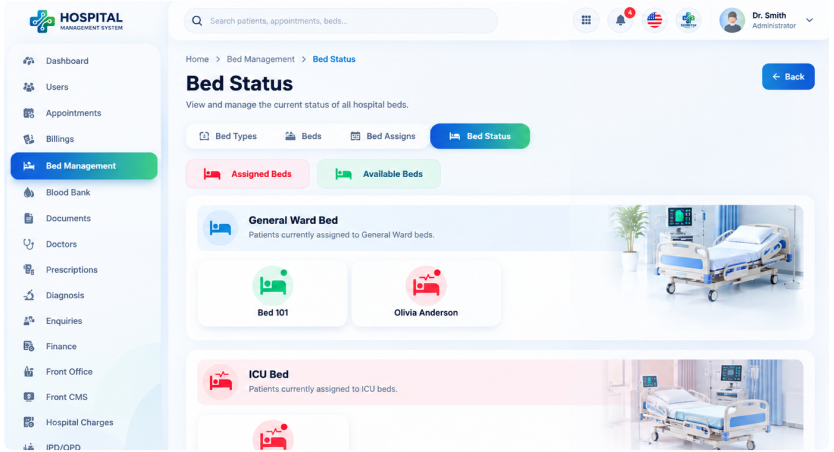
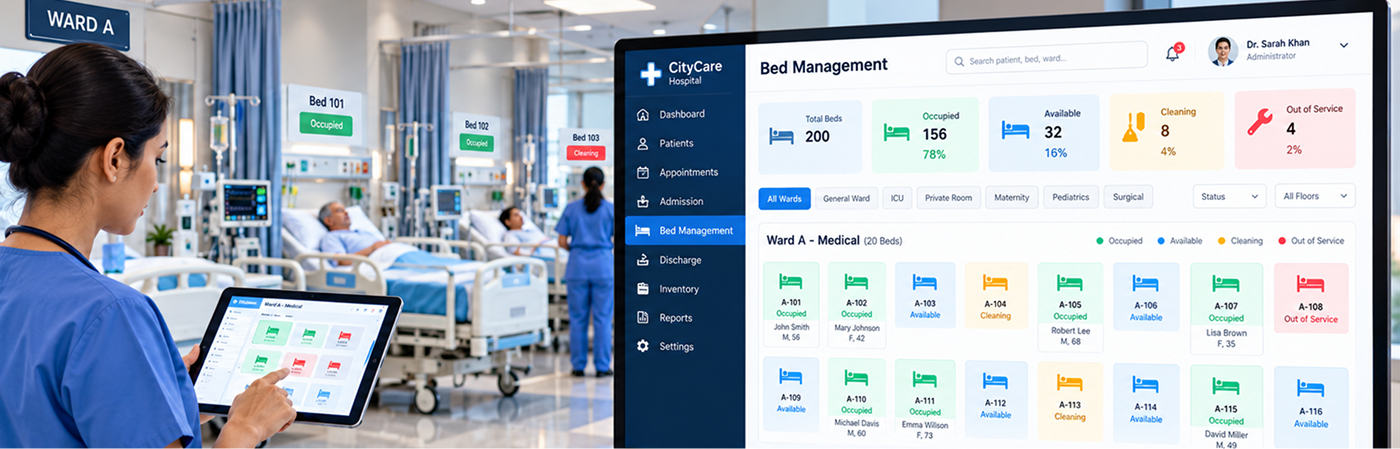
Bed Management
Manage bed types, beds, bed assignments and bed status for your wards. Placing a patient in a bed updates availability automatically.
- Bed types such as ICU and General Ward
- Add and manage beds
- Assign patients to beds
- Live bed status
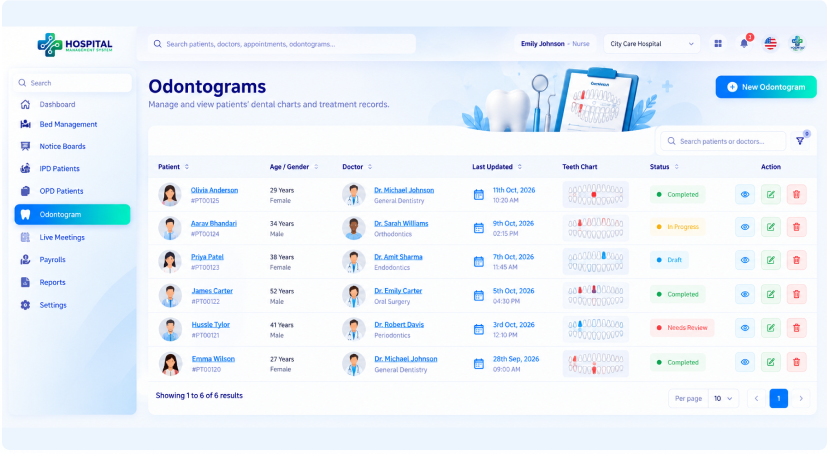
Dental Charting
Use the Odontogram to record dental findings against the patient. Charts stay in the patient record for the next visit.
- Odontogram charting
- Record dental findings
- Saved to the patient record
- Ready for the next visit
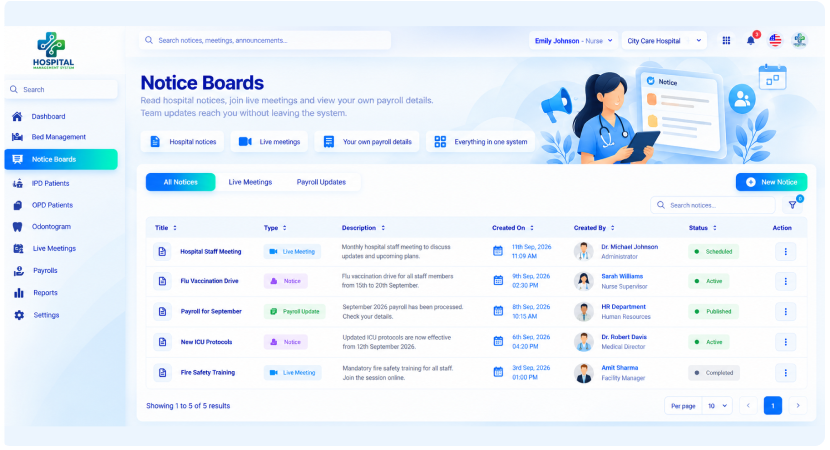
Notices, Meetings & Payroll
Read hospital notices, join live meetings and view your own payroll details. Team updates reach you without leaving the system.
- Hospital notices
- Live meetings
- Your own payroll details
- Everything in one system
A Faster Front Desk
Receptionists register patients, book appointments and manage queues from one screen.
Modules used
- Front Office
- Patients
- Appointments
- Patient Queues
- Enquiries
- SMS/Mail
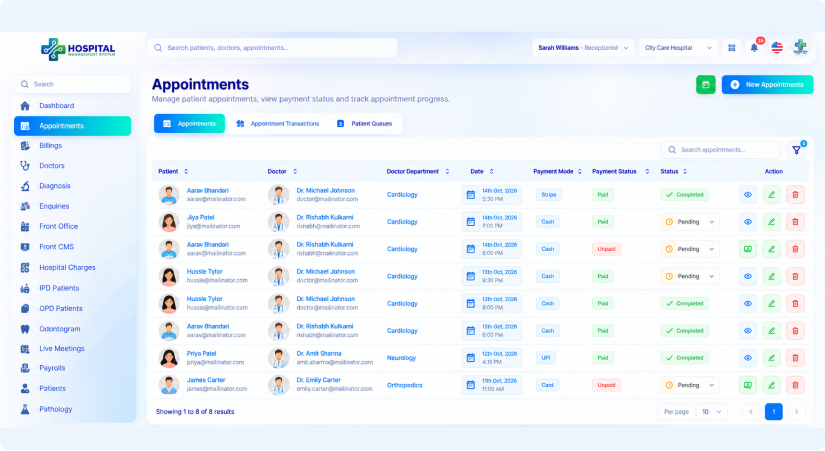
Appointments & Patients
Book and manage appointments, and register patients with contact details and blood group. Look up IPD and OPD records, doctors and Odontogram entries when someone asks at the desk.
- Book and manage appointments
- Register patients
- Contact details and blood group
- Look up IPD and OPD records
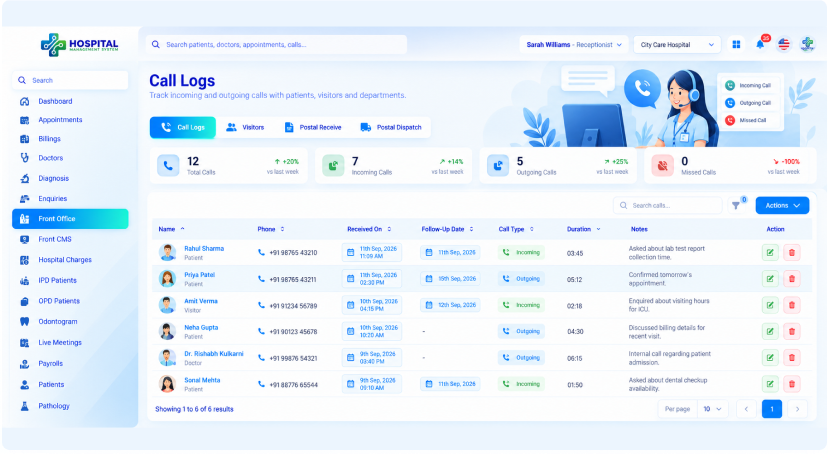
Front Office & Enquiries
Record calls, visitors and postal items, and follow up enquiries from your hospital website. Everything is logged with dates, so nothing is forgotten.
- Call records
- Visitor records
- Postal items
- Website enquiries
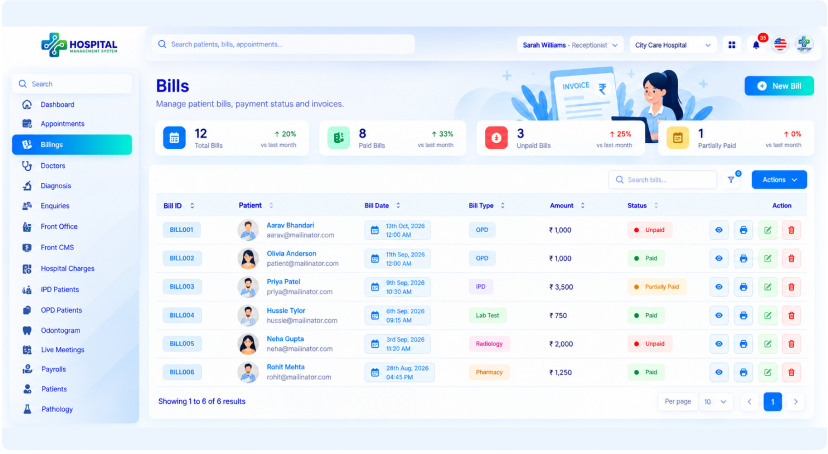
Billing, Charges & Services
Open billing, check hospital charges and see the services and tests your hospital offers, including pathology and radiology tests. Patients get clear answers on cost at the desk.
- Open billing
- Check hospital charges
- Services list
- Pathology and radiology tests
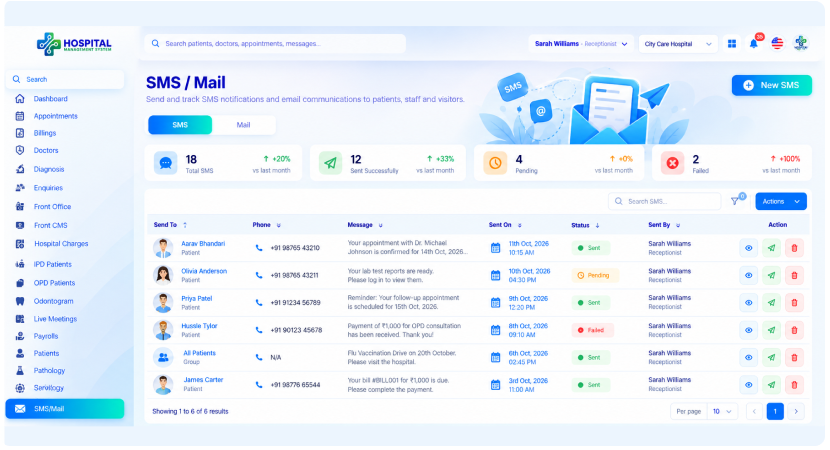
Messaging & Hospital Content
Send SMS and email using ready-made email templates, and update hospital website content through Front CMS. Join live meetings with the rest of the team.
- Send SMS
- Email with ready templates
- Update content through Front CMS
- Join live meetings
Operations at a Glance
Managers follow staff, inventory and performance reports across departments.
Modules used
- Dashboard
- Users
- Inventory
- Payrolls
- Reports
- Excel Export
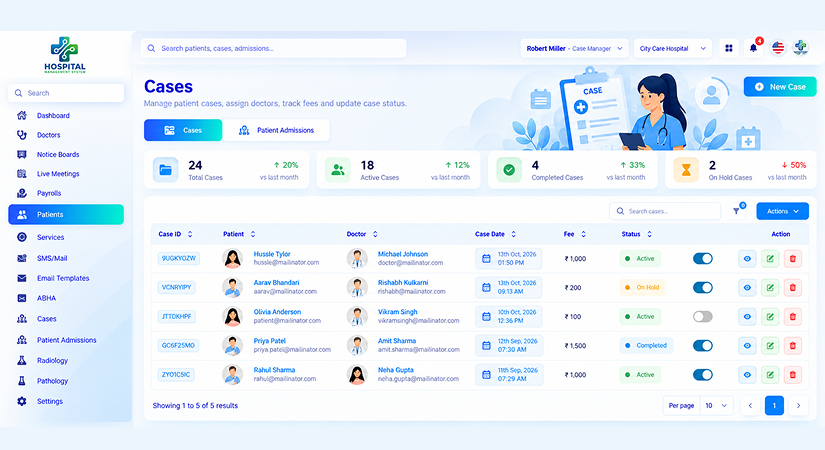
Cases & Admissions
Open the Patients module to manage cases, case handlers and patient admissions. A registered case moves into admission without re-entering details
- Manage patient cases
- Assign case handlers
- Handle patient admissions
- No re-entry between steps
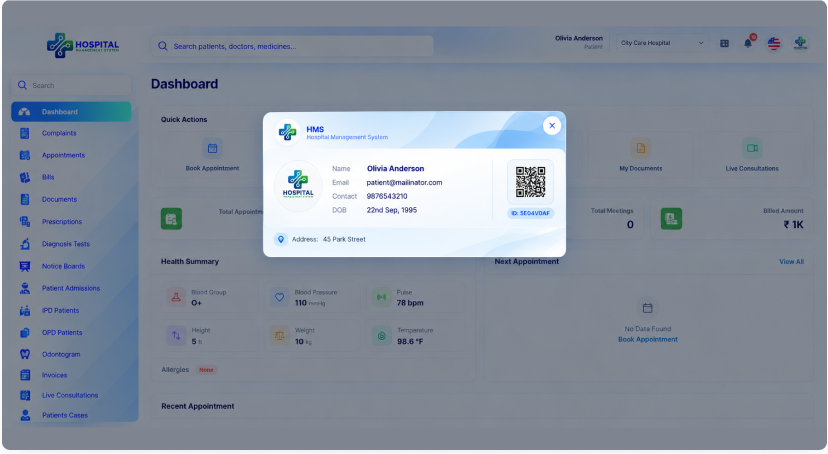
Patient Smart Cards
Work with patient smart card templates and generate cards for registered patients. Each card links back to the patient record.
- Smart card templates
- Generate patient cards
- Cards for registered patients
- Linked to the patient record
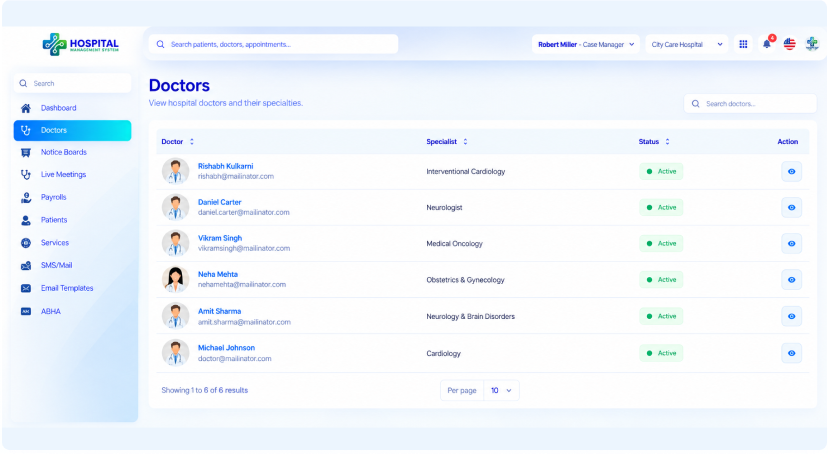
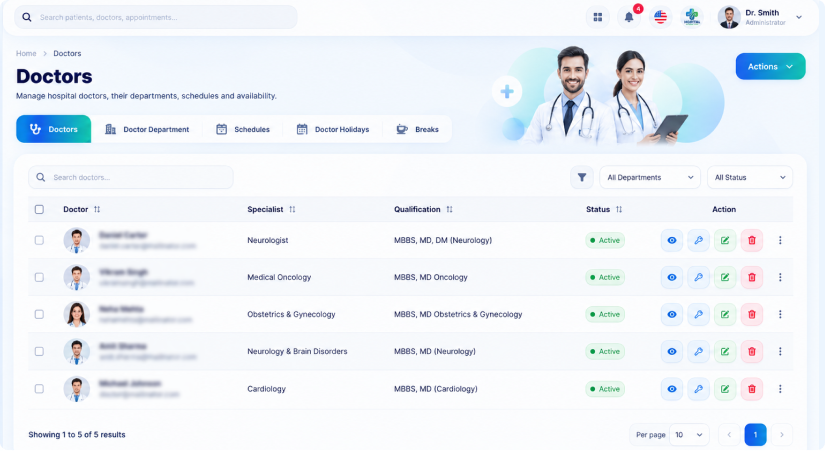
Doctor Directory
See every doctor with their specialization and active status. You can route cases to the right specialist quickly.
- Full doctor list
- Specialization shown
- Active status shown
- Route cases to specialists
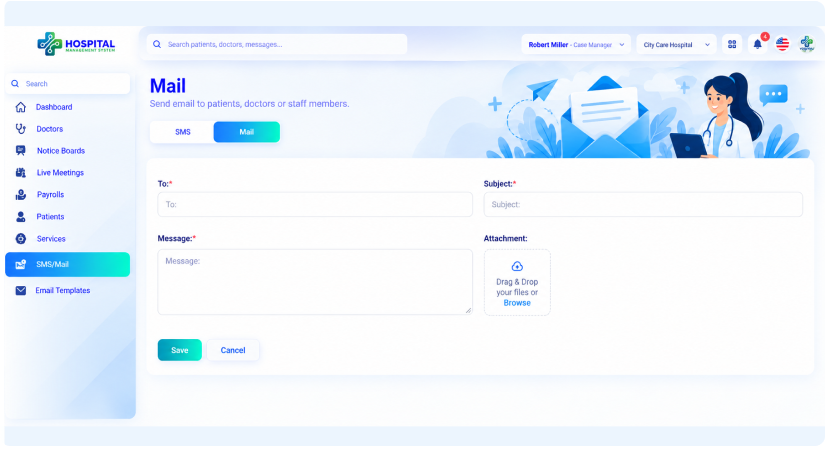
Services, Messaging & Meetings
Use the services list, send SMS and email, join live meetings and view notices and payroll. Coordination stays inside one system.
- Services list
- SMS and email
- Live meetings
- Notices and payroll
Dispense and Restock with Confidence
Pharmacists fill prescriptions, bill medicines and keep stock levels up to date.
Modules used
- Medicines
- Medicine Categories
- Medicine Brands
- Purchase Medicine
- Used Medicine
- Medicine Bills
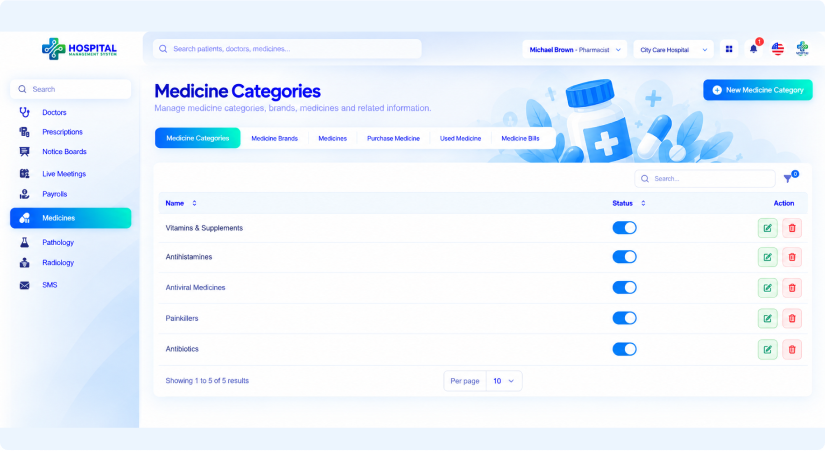
Medicine Catalogue
Maintain categories, brands and medicines, and switch categories on or off as your range changes. Staff find what they need quickly.
- Medicine categories
- Medicine brands
- Medicine records
- Category on and off switch
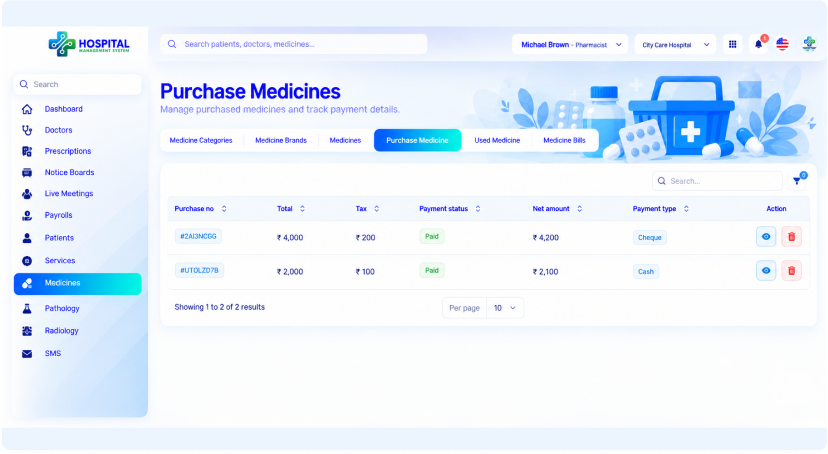
Purchase & Usage Tracking
Record medicines you purchase and medicines used, so stock matches what is on the shelf. Shortages show up before they reach the ward.
- Record purchased medicine
- Record used medicine
- Stock matches the shelf
- Spot shortages early
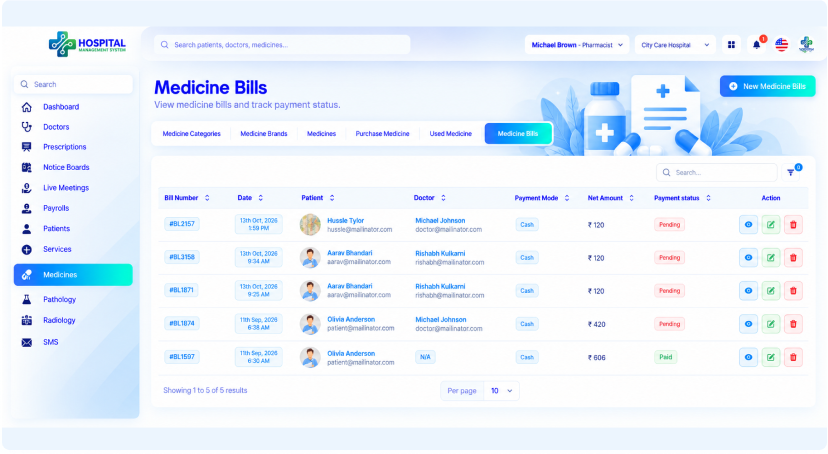
Prescriptions & Medicine Bills
Review prescriptions from doctors and manage medicine bills. Pharmacy charges stay in step with the patient's bill.
- Review prescriptions
- Manage medicine bills
- Charges tied to the patient bill
- Doctor directory for reference
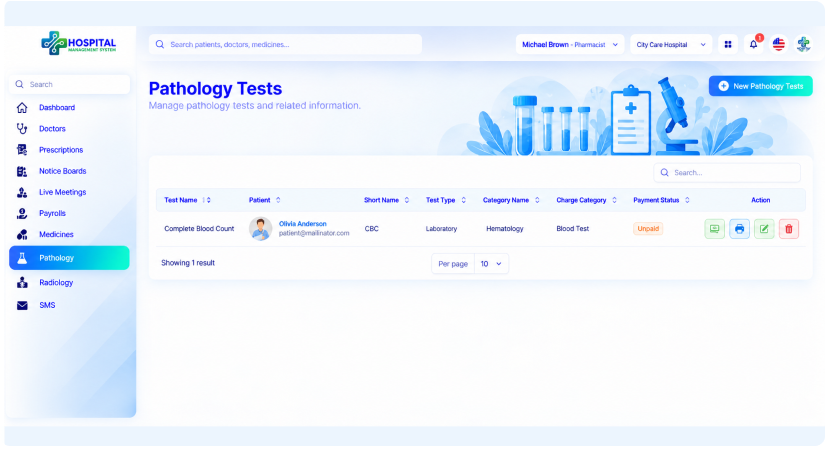
Test Reference & Team Tools
Check pathology and radiology tests when a prescription needs context. Send SMS, read notices and join live meetings from the same menu.
- Pathology tests
- Radiology tests
- Send SMS
- Notices and live meetings
Test Orders to Results, Tracked
Lab teams receive test orders, record results and share reports with doctors.
Modules used
- Pathology
- Radiology
- Investigation Reports
- Diagnosis
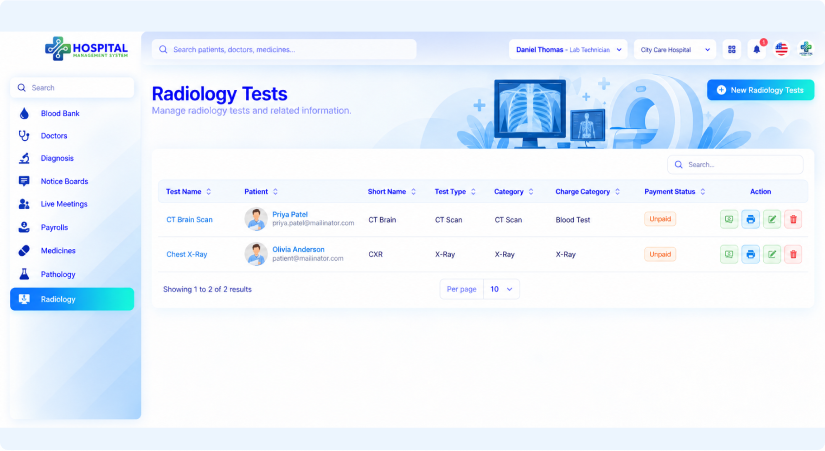
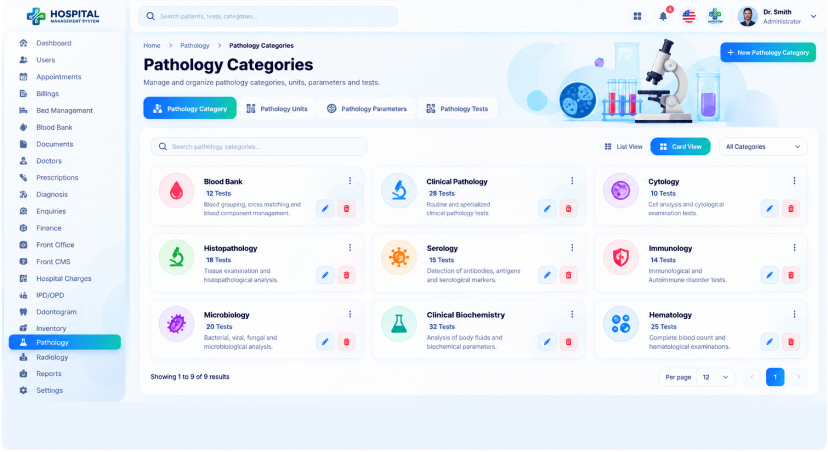
Pathology & Radiology
Work with pathology and radiology tests organized by category, each with its charge. Prices carry into billing, so charges are never entered twice.
- Pathology tests
- Radiology tests
- Organised by category
- Charge set for each test
Diagnosis Reports
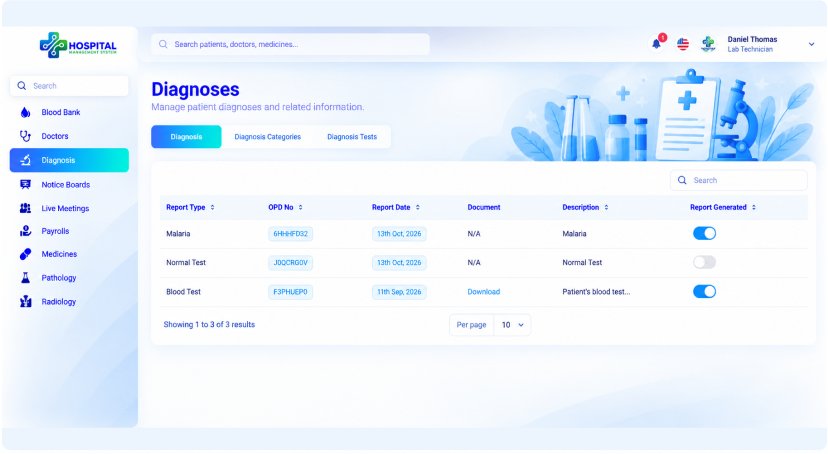
Add diagnosis tests for patients and keep the reports with the patient record. Finished reports can be exported as PDF to share or print.
- Add diagnosis tests
- Reports in the patient record
- PDF export
- Results visible to doctors
Blood Bank
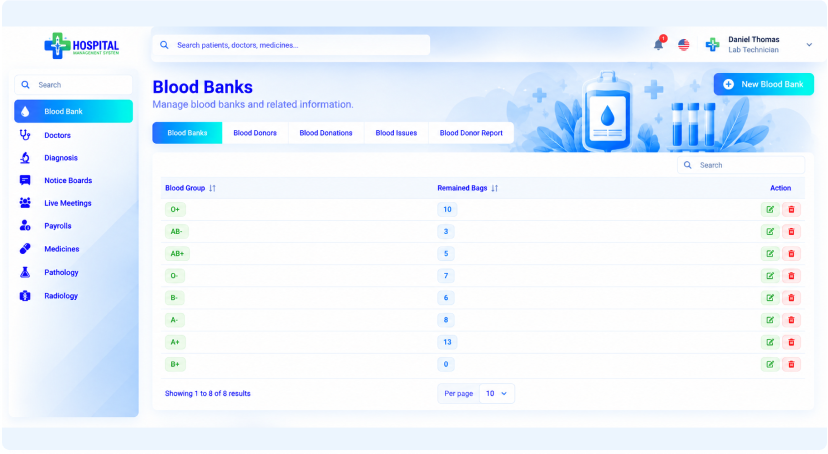
Record donors, donations and blood issued to patients, with stock tracked by blood group. Staff can see at once which groups are available.
- Blood donors
- Blood donations
- Blood issued to patients
- Stock by blood group
Reference & Team Tools
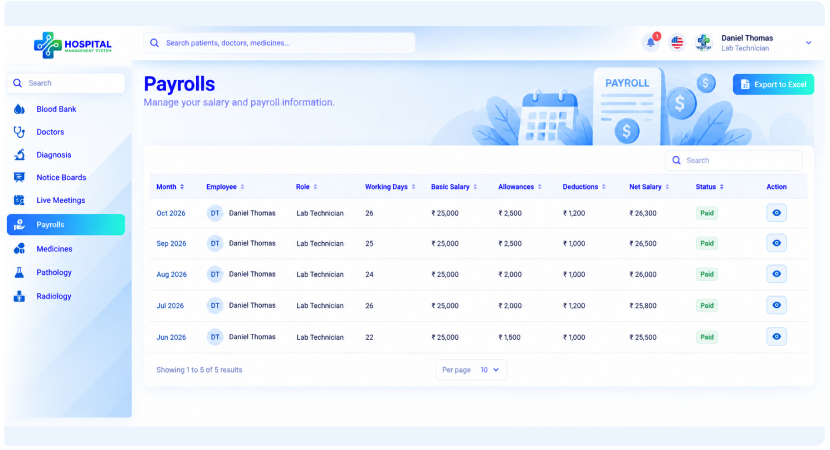
Check the doctor directory and medicine catalogue when a request needs context. Notices, live meetings and payroll details are one click away.
- Doctor directory
- Medicine catalogue
- Notices and live meetings
- Your own payroll details
Donors, Stock and Issues in One List
Blood bank staff record donations, track stock by group and issue units to wards.
Modules used
- Blood Bank
- Blood Donors
- Blood Issues
- Patients
Blood Stock by Group
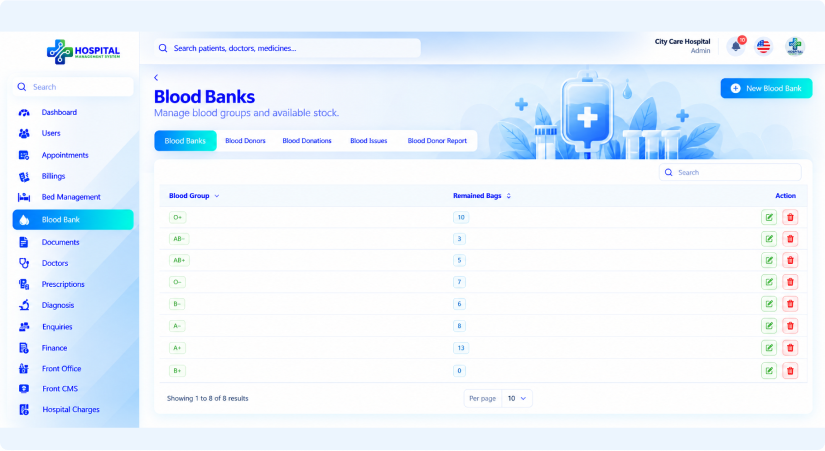
See every blood group with the number of bags remaining. Staff can check availability in seconds, without calling around or searching registers.
- Blood group list
- Remaining bags for each group
- Add a new blood bank entry
- Edit or delete entries
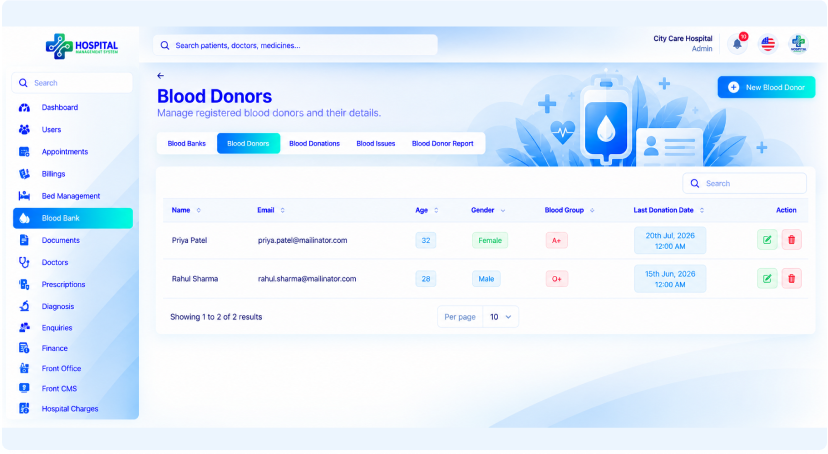
Blood Donors
Keep a record of the people who donate blood to your hospital. Donor details stay on file, so you can reach them again when stock runs low.
- Donor records
- Blood group for each donor
- Add and edit donors
- Search the donor list
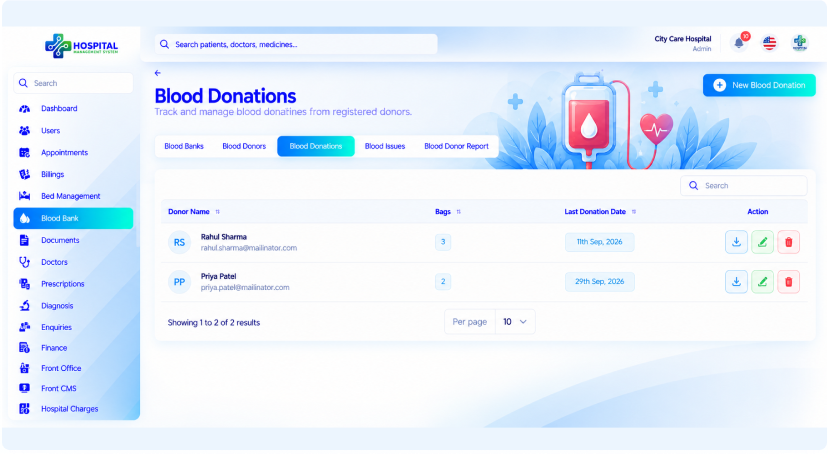
Blood Donations
Record each donation as it happens, and stock updates to match. Your records always show what came in and when.
- Record each donation
- Linked to the donor
- Linked to blood group stock
- Search past donations
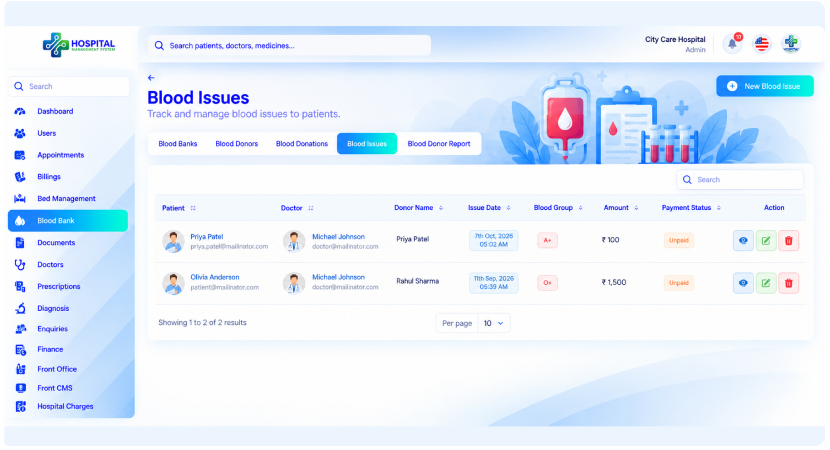
Blood Issues & Donor Report
Record blood issued to patients, and open the donor report when you need an overview. Both give you a clear trail of blood going out and coming in.
- Record blood issues
- Track what has gone out
- Blood donor report
- Clear record for audits and reviews
Finance Kept in Order
Accountants manage invoices, payments, payrolls and income and expense records.
Modules used
- Billings
- Invoices
- Payments
- Advance Payments
- Payrolls
- Finance
- Transactions
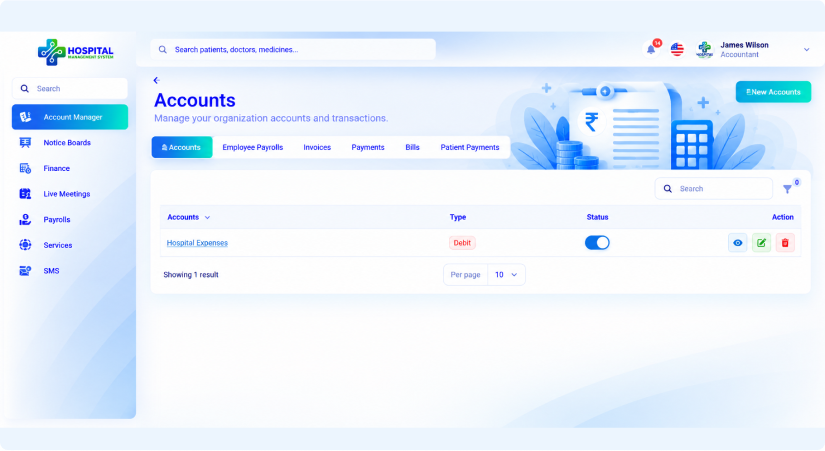
Account Manager
Manage accounts, invoices, bills, payments and advance payments in one place. Bills can pull in patient admission and insurance details.
- Manage accounts
- Invoices and bills
- Payments
- Advance payments
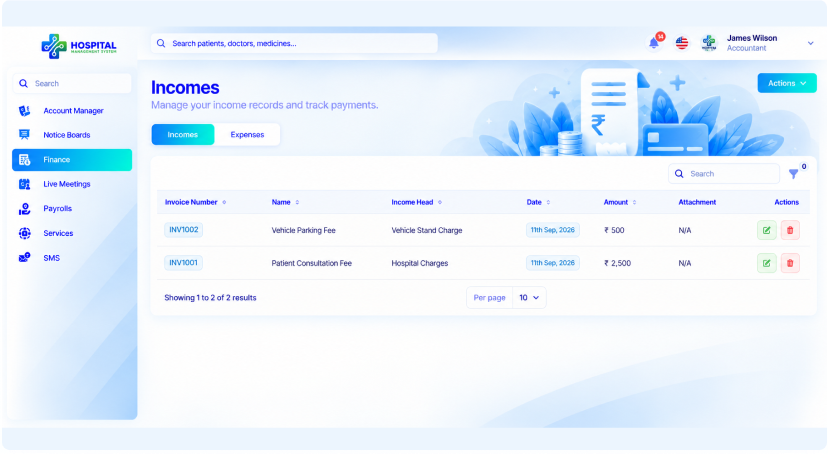
Income & Expenses
Record each income with its invoice number, income head, date and amount, and keep expenses in the same module. Attachments keep supporting documents next to the entry.
- Invoice number and income head
- Date and amount
- Expenses in the same module
- Document attachments
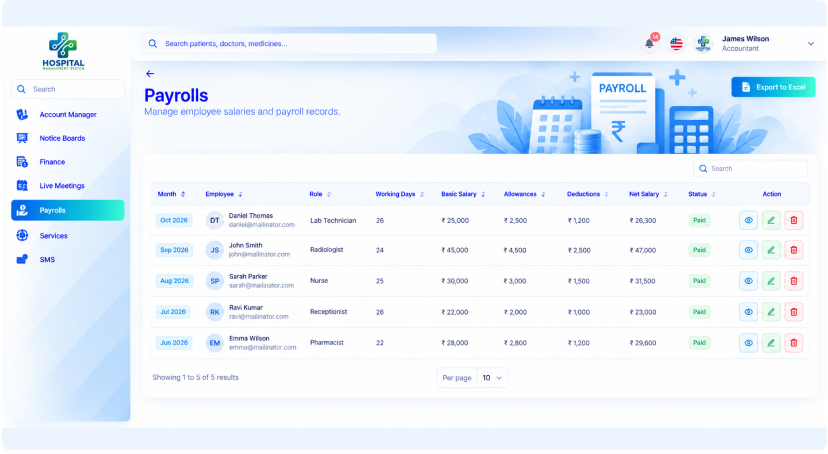
Payroll
Manage salaries for doctors, nurses, pharmacists, receptionists and other staff. Employees can view their own payroll details.
- Salaries for all staff roles
- Doctors and nurses
- Pharmacists and receptionists
- Employees see their own payroll
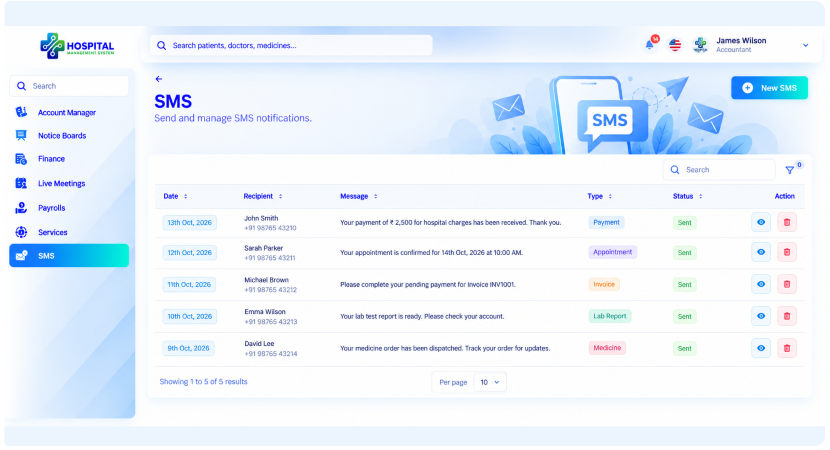
Services, Messaging & Meetings
Check the hospital's services, send SMS, read notices and join live meetings. Finance stays connected to the rest of the team.
- Services list
- Send SMS
- Read notices
- Live meetings
Get a Personalized Demo of
Our Hospital Management System
See how the platform fits your hospital or clinic. Our team walks you through the modules that matter to you.
Schedule a 30-minute walkthroughOne Connected System.
Every Hospital Workflow.
From arrival to final bill, every step shares one record. Nothing is entered twice.
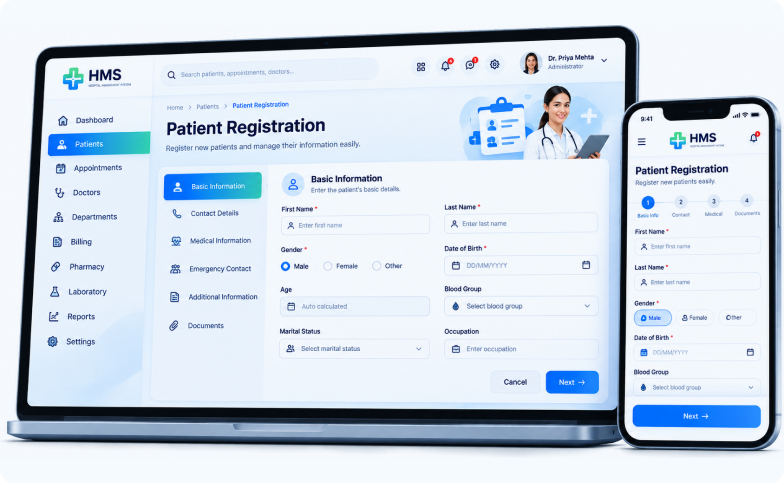
Patient Registration
Create a digital profile with contact details, blood group and documents. Every future visit builds on the same record, so history is never lost.
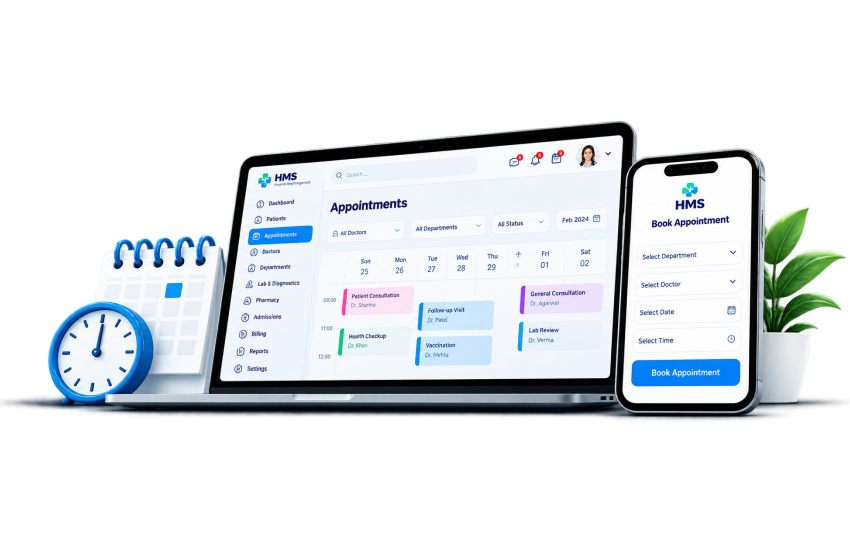
Appointments
Patients book open slots online, and reception sees the same calendar as the doctor. The patient queue keeps the waiting room organised.
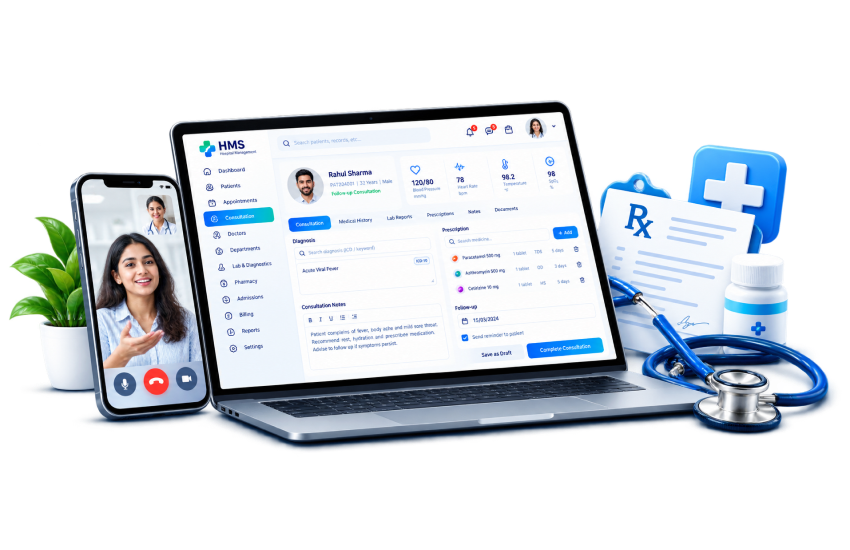
Consultation
Doctors review the patient's history, record diagnoses and write prescriptions. Remote patients can be seen through video consultations.
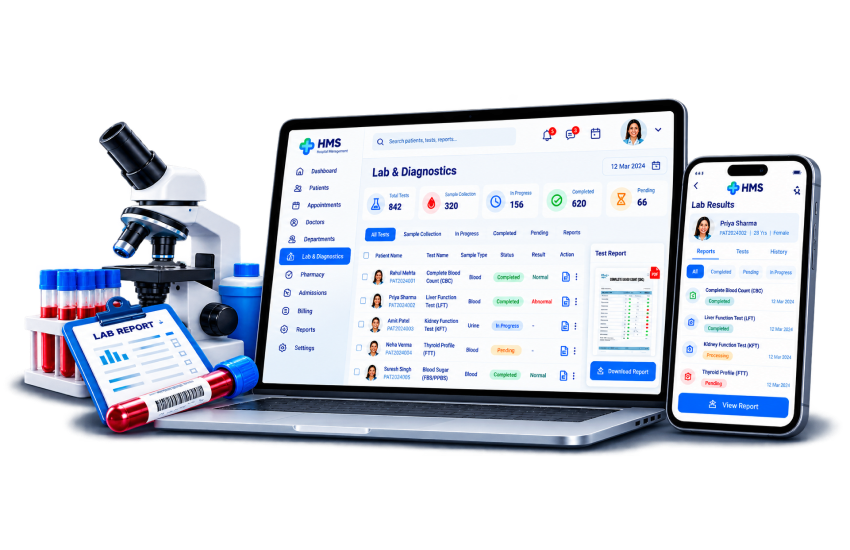
Lab & Diagnostics
Tests are requested from the consultation and handled by the lab. Results attach to the patient file and reach the doctor without paperwork.
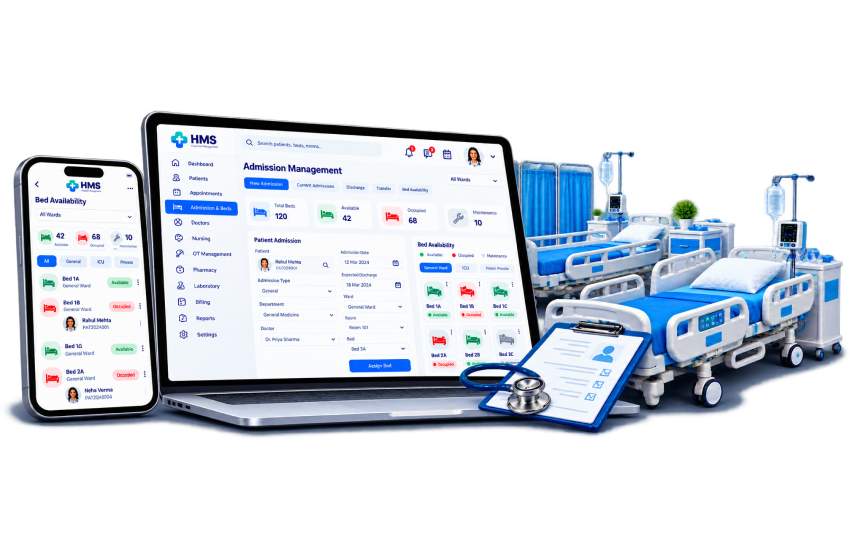
Admission & Beds
When a patient needs admission, assign a free bed in a few clicks. Bed availability updates automatically.
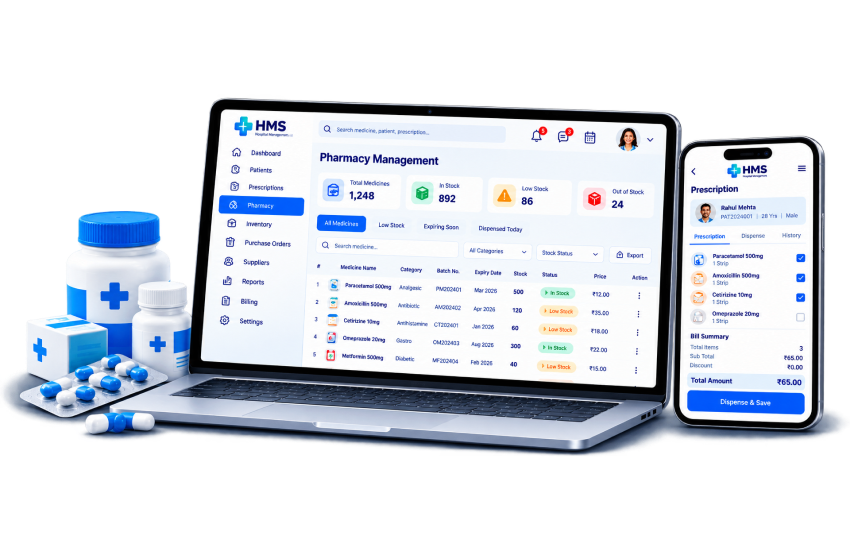
Pharmacy
Pharmacists review the doctor's prescription and dispense the medicines. Stock is tracked as medicines are used.
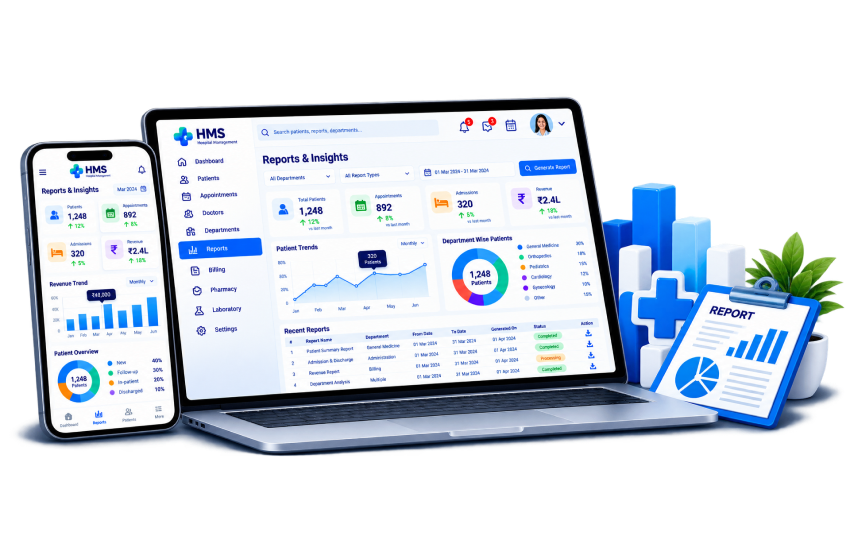
Reports & Insights
Open patient reports and live dashboard figures whenever you need them. Doctors and leaders get a clear picture without chasing departments.
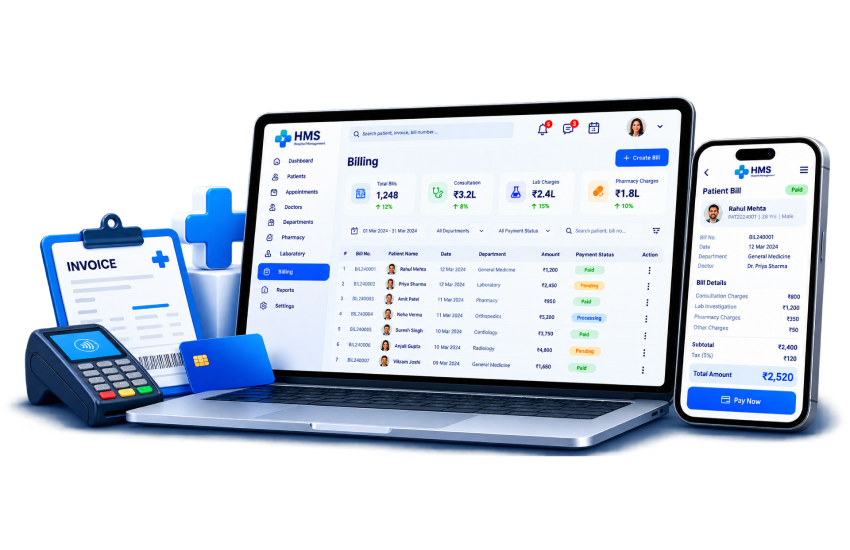
Billing
Generate invoices and bills from consultations, tests, medicines and admission. Record payments and advance deposits.
HMS Feature Listing
Connected modules cover patient care, wards, diagnostics, pharmacy, finance and daily operations. Switch on what you need, and every module shares the same patient record.
Patient Care
- Patients
- Appointments
- Appointment Transactions
- Patient Queues
- Appointment Calendar
- IPD/OPD
- Patient Admissions
- Cases
- Case Handlers
- Settings
- Smart Card Templates
- Doctors
- Doctor Schedules
- Prescriptions
- Odontogram
- Vaccinations
- Documents
- Live Consultations
Wards & Admissions
- Bed Types
- Beds
- Bed Assigns
- Bed Status
- Blood Bank
- Ambulance
- Birth Reports
- Death Reports
- Operation Reports

Diagnostics & Pharmacy
- Pathology
- Radiology
- Diagnosis
- Investigation Reports
- Medicines
- Medicine Categories
- Medicine Brands
- Purchase Medicine
- Used Medicine
- Medicine Bills
Finance
- Billings
- Account Manager
- Invoices
- Bills
- Payments
- Advance Payments
- Finance (Incomes, Expenses)
- Payrolls
- Hospital Charges
- Transactions
Hospital Services
- Services
- Packages
- Insurance
- Inventory
- Document Types

Front Office & Communication
- Front Office
- Enquiries
- SMS/Mail
- Email Templates
- Notice Boards
- Live Meetings
Platform & Settings
- Dashboard
- Users
- Hospitals
- Hospital Types
- Front CMS
- Settings
- Module On/Off Control
- Excel Export
Why Healthcare Providers Choose
Our Hospital Management System
Replace paper registers and disconnected tools with one cloud platform for every department.
A Smoother Patient Experience
Book appointments online and view bills and history without calling the front desk.
Built for Clinical Workflows
Doctors, nurses, and lab teams see only the records and tasks they need.
Full Operational Visibility
Track billing, patients, doctors, and beds from one live dashboard.
Cloud-Based, Ready When You Are
Sign in from any browser. No servers to buy or maintain.
Transform the Way
You Manage Your Hospital
Give every role the right tools and every department a shared record, on a cloud platform that starts with a subscription. See it live in a demo built around your hospital or clinic.
Request a Demo